
Drawing in Cloudfarb is free forever: the canvas, brushes, layers, effects, text, gallery and export. A PRO subscription adds tools and services on top.
What PRO includes
- Notebooks – sketches, artwork and stickers (see Notebooks);
- Coloring progress – time, completed works and goals (see Progress);
- Paint by numbers – a generator that works from your own image (see Color by number);
- Catalog – anyone can browse, but opening, coloring or saving its items needs PRO;
- 20 GB cloud – a copy of your works and version history (see Cloud);
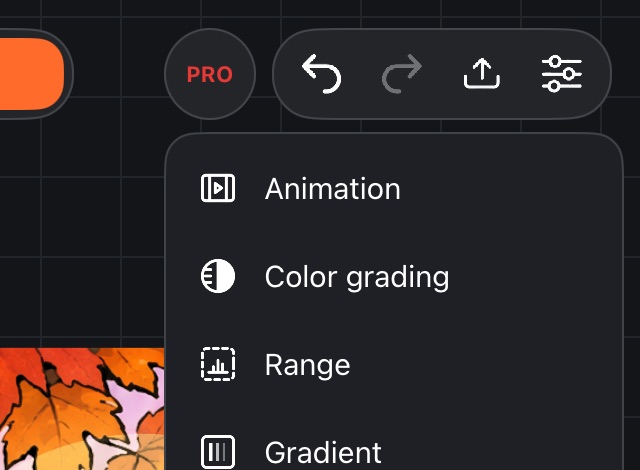
- the tools under the PRO button on the canvas: Animation, Color grading, Range, Gradient, Clone, Retouch, Pen, Palette scanner;
- Value check and Make a coloring page in the canvas settings, and Print sheet in export.
Subscription buttons and items carry a PRO badge. Tap such a tool without a subscription and the subscription window opens.
The 14-day trial
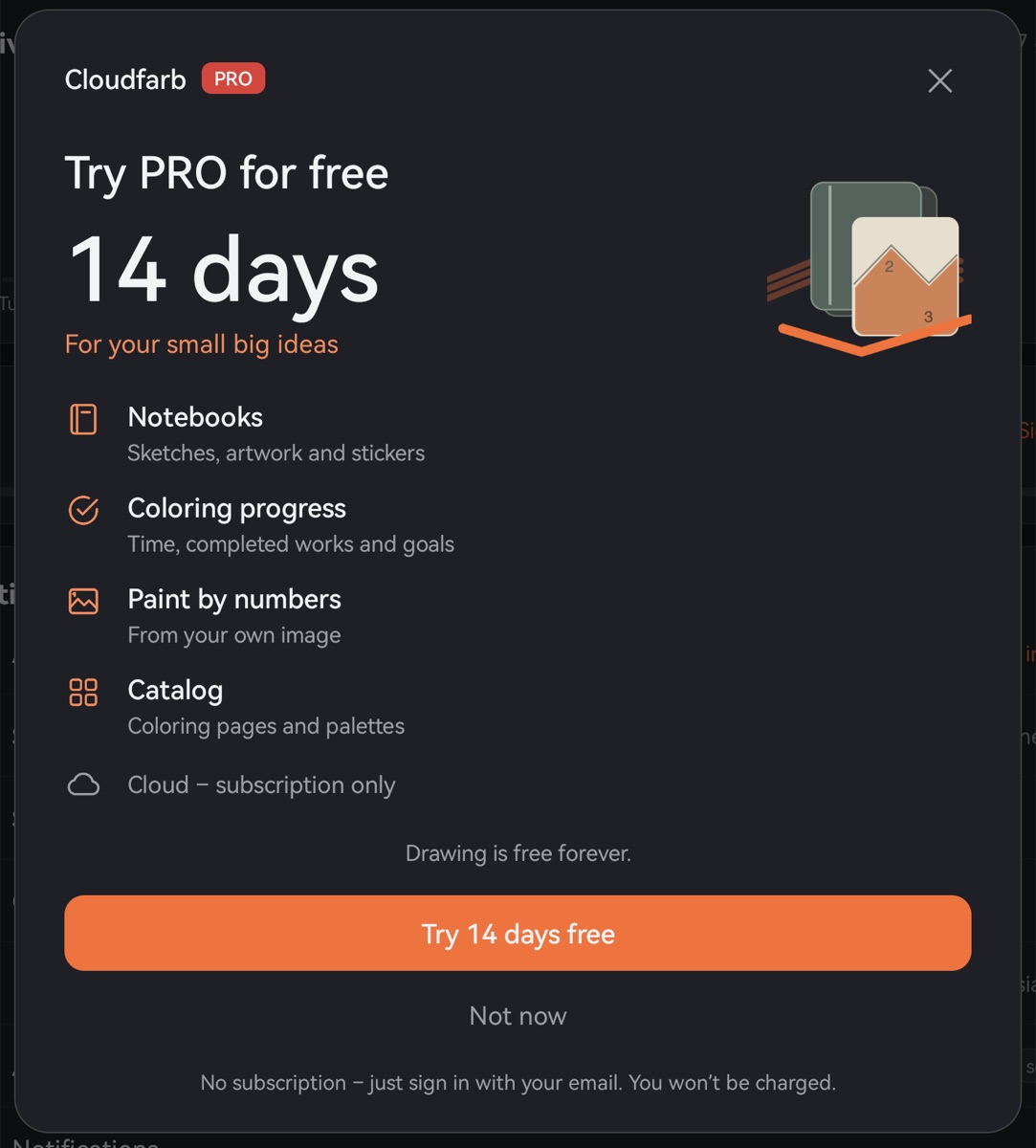
On Android you can try PRO free for 14 days – no subscription, no payment.
- Profile → Subscription (or tap any PRO tool).
- Tap Try 14 days free.
- Sign in with your email – no password, we send a code (see Account).
During the trial all PRO tools work except the cloud: the cloud requires a subscription. You get the trial once – per device and per account. A reminder arrives 2 days before it ends and on the last day; you can turn it off in Profile: Notifications → Trial ending.
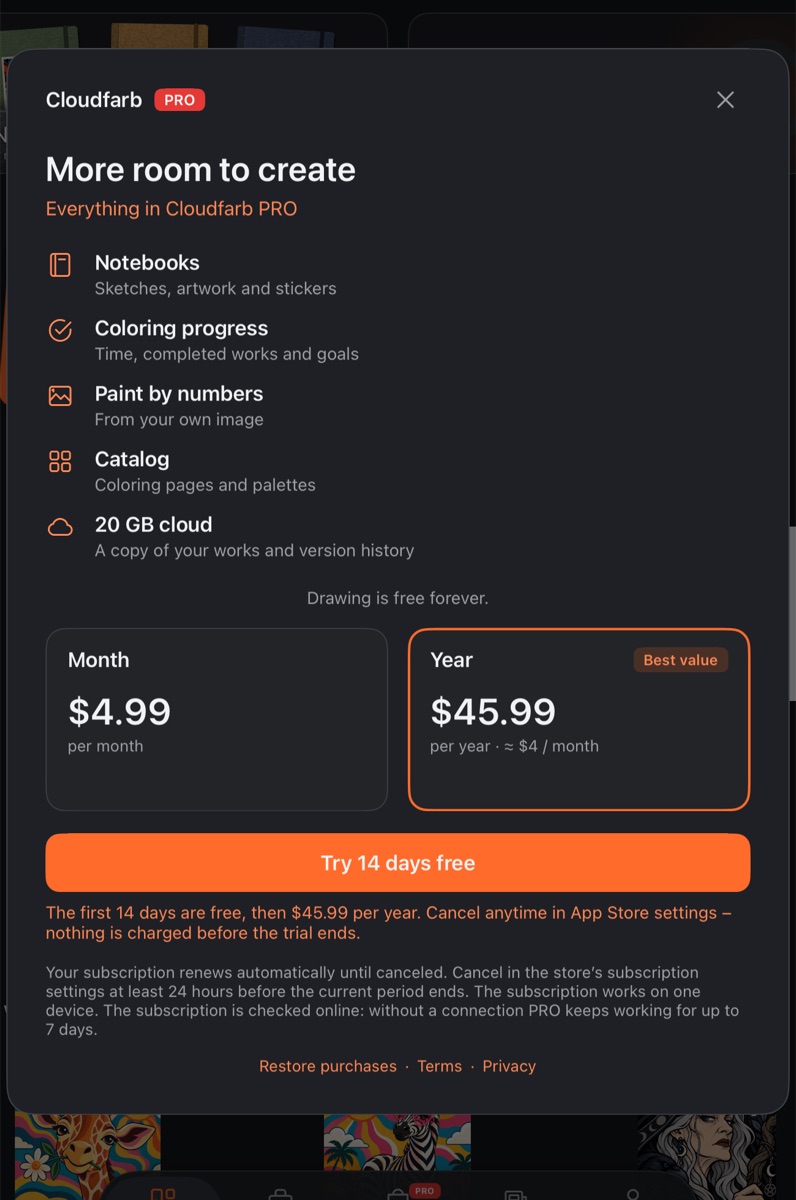
iPad and iPhone. There's no in-app trial of our own. If the App Store offers free days, you'll see it right on the plan button – “Try N days free” – with a line below saying when payment starts. Nothing is charged before the free days end.
How to subscribe
- Open Profile → Subscription. - On iPad and iPhone the window shows the plans straight away. - On Android the window first offers the trial. During the trial and after it, the window has a Subscribe button that opens the plans.
- If you aren't signed in, the app asks you to sign in with your email – your subscription and cloud are tied to your account.
- Choose Month or Year (marked “Best value”).
- Tap Subscribe for … and confirm the payment in the store window.
Prices come from the store, in your currency. Once the store confirms the purchase, you'll see “Thank you! PRO is on”.
You can also pay for PRO on the cloudfarb.ru website – sign in there to the same Cloudfarb account with your email. A subscription paid on the website is renewed or canceled there too.
Checking that your subscription is active
In your profile, the Subscription row shows “PRO until …”, “Trial” or “None” on the right, and “Auto-renewal on” or “Auto-renewal off” under the title. The Subscription window shows the end date and how much cloud space you use.
Restoring purchases
If you reinstalled the app or switched to another device on the same platform:
- Sign in to the same account.
- Open the plans: Profile → Subscription (on Android, then Subscribe).
- At the bottom of the plans window, tap Restore purchases.
If the subscription already belongs to another Cloudfarb account, the app tells you so – sign in to that account or contact support.
Canceling your subscription
The subscription renews automatically until you cancel it. Cancel at least 24 hours before the current period ends.
- Profile → Subscription → Manage subscription.
- The subscription page of the store where you subscribed opens. If you subscribed in a different store, the app tells you where to go.
- Google Play: Payments & subscriptions → Subscriptions.
- App Store: Settings → your name → Subscriptions.
- RuStore: in the RuStore app – Profile → Subscriptions.
- cloudfarb.ru website: sign in to your account on the website.
After canceling, PRO stays active until the end of the paid period, and you won't be charged again. Changed your mind? Turn it back on in Manage subscription.
What stays after it ends
Nothing is deleted from your device or hidden:
- all your artwork stays with you; drawing and export work as before;
- notebooks and Progress can be viewed and deleted; editing them needs PRO;
- the catalog can still be browsed;
- the cloud stops syncing and is kept until the date shown in the Subscription window, then deleted.
Good to know
- The subscription works on one device – the one where your account is open.
- The subscription is checked online; without a connection PRO keeps working for up to 7 days.