
The eyedropper picks a color from the canvas and makes it your brush color. Afterwards you keep drawing with the tool you had before.
The Eyedropper tool
- Tap Eyedropper on the right toolbar.
- A magnifier circle appears in the middle of the canvas. Grab it with a finger or the pen and drag it where you need.
- Let go – the color under the crosshair becomes the brush color, and the eyedropper turns itself off.
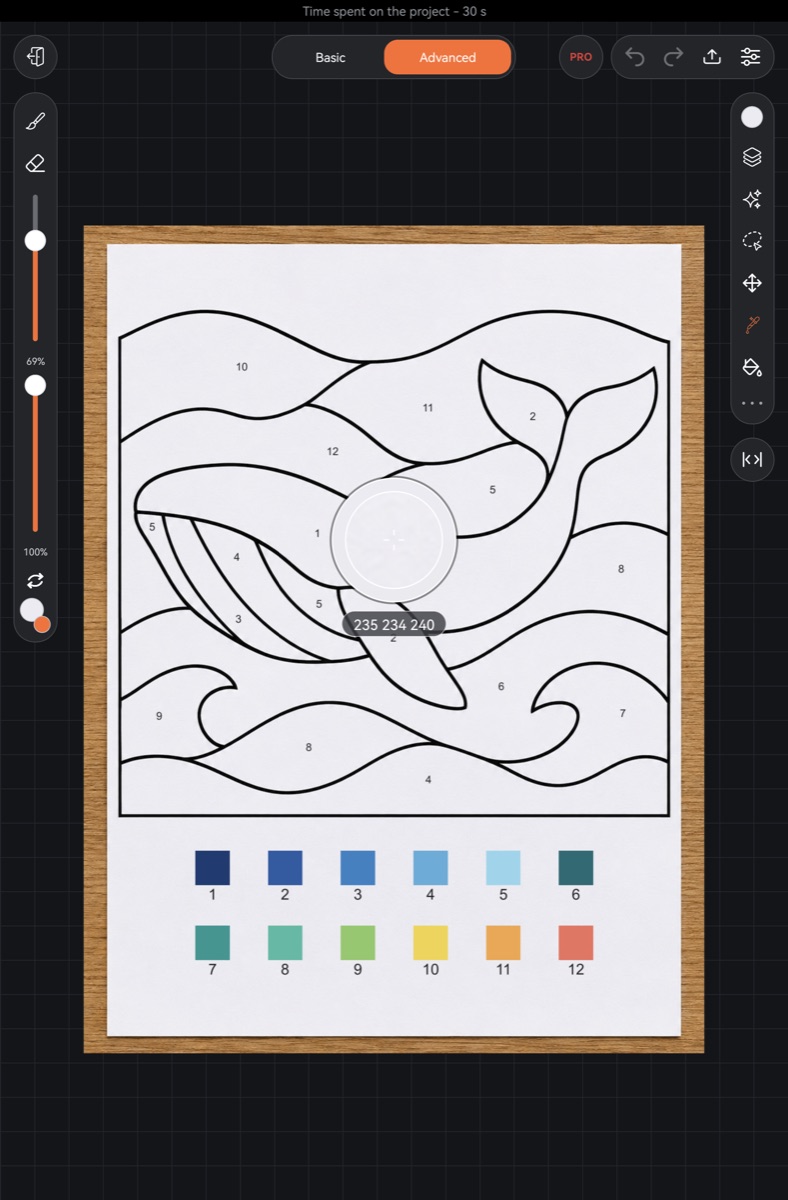
What the circle shows:
- inside – an enlarged patch of the canvas where every pixel is visible, so it's easy to hit a thin line;
- the ring: the top half is the color you were drawing with, the bottom half is the color under the crosshair;
- below the circle – the color code as three numbers (red, green, blue).
You don't have to drag the circle: just tap the canvas where you want – the color is picked when you lift your finger or pen. Changed your mind? Tap Eyedropper again to go back to the previous tool.
The eyedropper picks the color as you see it on screen – all visible layers together. On an empty spot it picks the paper color.
Hold a finger
The quickest way – no tool switching.
- With Brush or Eraser selected, rest a finger on the canvas without moving for half a second.
- An eyedropper circle appears above your finger. Its center sits a little above the finger, so the finger doesn't hide the crosshair.
- Slide to the color you want and lift – it becomes the brush color. Your tool stays the same.
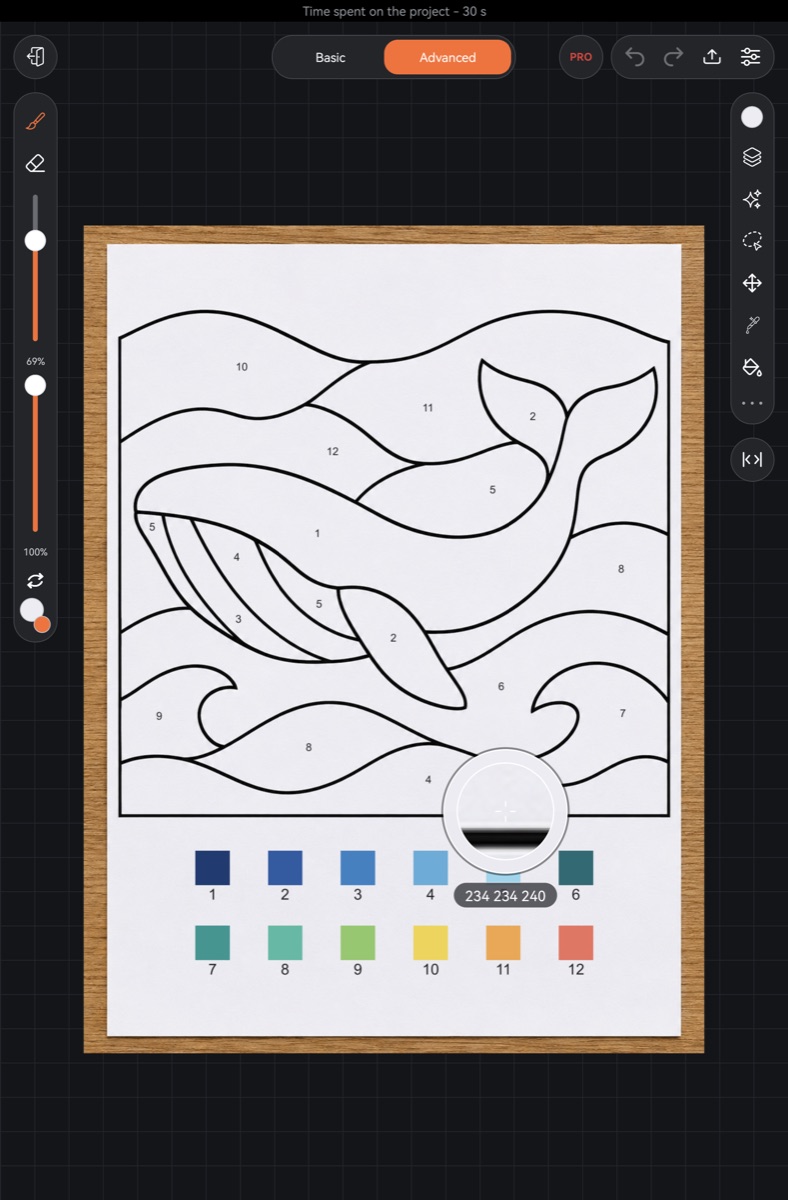
This works even with finger drawing off. Within a second after a pen stroke, holding a finger doesn't start the eyedropper – a resting finger then is most likely your pinky. Touching the screen with the pen while holding cancels it.
Eyedropper from the palette
The palette window has an Eyedropper button below the color field. The palette closes and the circle appears on the canvas. Once you've picked a color, the palette opens again on the same tab. See Palette.
Pen button
You can put the eyedropper on the pen button (on iPad – on double tap or squeeze): Settings → Misc → Gestures → Pen button → Eyedropper. See Pen, finger and palm.
Color from a reference
If the reference window is open, the eyedropper picks from its picture too: move the circle over the picture or, while the eyedropper is on, tap the picture in the window. Over the reference the magnifier shows the picture at its own scale. See Reference.